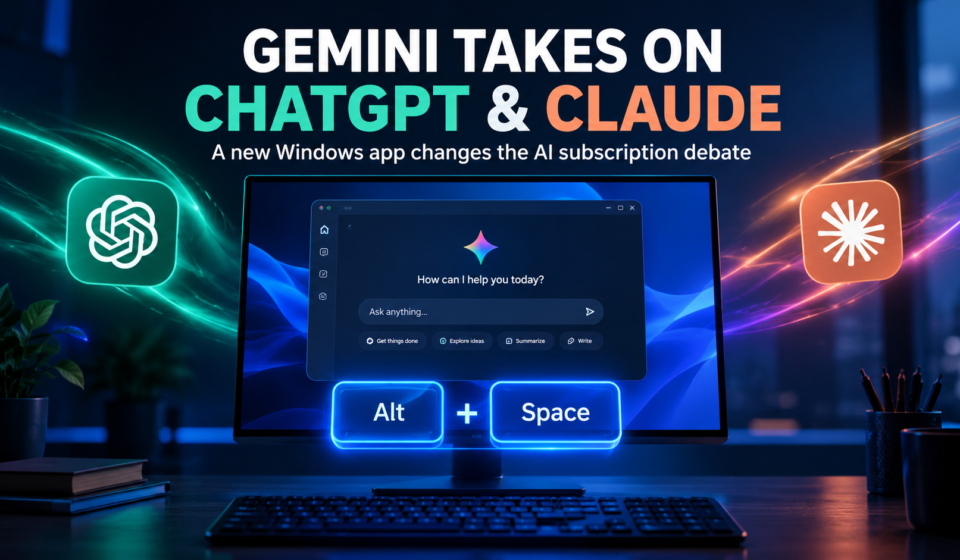

Google is making its AI assistant more convenient for Windows users with a dedicated Gemini desktop app. The new application brings AI assistance closer to everyday computer tasks, making it easier to ask questions, write content, and generate ideas without constantly switching browser tabs.
For users who already pay for ChatGPT and Claude, this creates an important question: do they really need multiple AI subscriptions anymore?
Gemini’s new desktop experience may not replace every competing tool, but its simple design and quick access could make it a serious alternative for everyday AI tasks.
1. Gemini Finally Gets a Dedicated Windows App
For a long time, Windows users mainly accessed Google Gemini through a web browser. Although this worked well, it was not always the fastest way to get help while working in another application.
The new Gemini desktop app changes that experience. Users can install it on compatible Windows computers and launch the assistant using the Alt + Space keyboard shortcut.
This means users can bring up Gemini while working on documents, browsing websites, or handling other tasks. They can ask a quick question and return to their work without opening a separate browser tab.
The app is available for Windows 10 and Windows 11. It also gives users a familiar interface, so existing Gemini users do not have to learn an entirely new system.
2. A Simpler Interface Could Be Gemini’s Biggest Advantage
AI companies are adding more features to their desktop applications. ChatGPT and Claude offer dedicated workspaces for tasks such as coding, research, and more advanced workflows.
These features can be extremely useful, especially for developers and professionals. However, they can also add extra steps when someone only wants a quick answer.
Gemini takes a more straightforward approach. Its familiar chat interface makes it easy to start a conversation without navigating through several different workspaces.
For everyday activities such as writing emails, brainstorming ideas, summarizing information, or checking facts, this simplicity can be a major advantage.
The key difference is not necessarily that Gemini can do everything better. It is that users may find it easier to access for small tasks throughout the day.
3. Could Gemini Replace ChatGPT and Claude Subscriptions?
The biggest question is whether Google’s new app provides enough value to make other paid AI plans unnecessary.
For casual users, the answer could be yes. If someone mainly uses AI for simple questions, writing assistance, summaries, and brainstorming, Gemini’s free access may cover many of their daily needs.
However, people who rely on advanced coding tools, specialized workflows, or particular models may still benefit from ChatGPT or Claude.
Each platform has its own strengths, and performance can vary depending on the task. A chatbot that works well for writing might not be the best option for a complicated programming project.
Instead of paying for several services automatically, users should consider how often they use each one and whether its premium features actually save them time.
The smartest approach is to pay for the AI tool that solves your most important problems, not simply collect subscriptions because they are available.
4. Windows Users Still Have Some Limitations
Despite its advantages, Gemini’s Windows app is not a complete replacement for every desktop AI experience.
Some features available on other platforms, particularly the Mac version, are not yet available on Windows. These include certain screen-sharing capabilities and workflows involving local files and folders.
This matters because desktop AI becomes more useful when it can understand the work happening on your computer and help manage it directly.
Google has indicated that more desktop capabilities are planned, but users should not assume that every feature will arrive immediately.
For now, Gemini is most appealing to people who want convenient AI chat and quick assistance rather than a fully integrated system for complex computer tasks.
5. Google Is Competing on Convenience, Not Just AI Power
The AI market is no longer only about which chatbot produces the best answer. Accessibility, speed, interface design, and integration with everyday tools also influence which assistant people use most.
Gemini’s Windows app addresses an important part of that competition. A keyboard shortcut can make an assistant feel like a natural part of the desktop instead of another website users must remember to open.
Google also has an advantage through its broader ecosystem. Users who already work with Google services may find Gemini useful for tasks connected to their existing tools, depending on account access and feature availability.
Still, convenience alone will not convince everyone to leave ChatGPT or Claude. Advanced users will continue to compare the quality of responses, available tools, usage limits, and subscription benefits.
Conclusion
Google Gemini’s Windows app makes AI assistance more accessible and gives users another reason to reconsider their monthly AI spending.
Its quick-launch shortcut, familiar interface, and everyday writing capabilities make it a compelling option for people who do not need advanced features all the time.
However, ChatGPT and Claude still have reasons to remain part of a user’s workflow, particularly when specialized tools or complex tasks are involved.
The real winner may not be a single chatbot. It may be the user who chooses the right AI tools, avoids unnecessary subscriptions, and pays only for the features that genuinely improve their work.